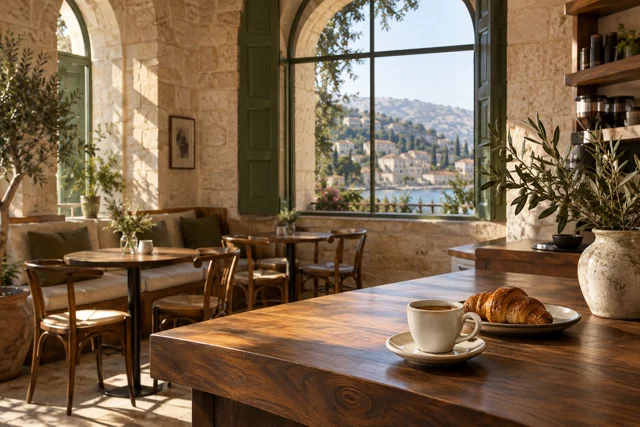
Why Heavy PDF Menus Frustrate Guests (And How a Cafe Website Wins)
Replace 25 MB PDF menus with a fast bilingual HTML cafe and restaurant website. Let mobile guests browse dishes in 1 second and order or book via WhatsApp.
KEY TAKEAWAYS (IN SHORT)
- A 15 to 30 MB PDF menu takes 8 to 20 seconds to download on mobile data, forces guests to pinch-and-zoom, and cannot rank on Google Search.
- Third-party QR menu apps often charge 15% to 28% delivery commissions or place third-party branding above your restaurant name.
- A bilingual HTML cafe website loads in under 1.5s, ranks for local dining searches, and routes orders to your WhatsApp.
Replacing a 15 to 30 MB PDF menu with a fast bilingual HTML restaurant and cafe website cuts mobile load time from 12+ seconds down to under 1.5 seconds and costs $50 per month all-in. Instead of forcing hungry guests in Beirut, Dubai, or Riyadh to download a heavy print file from Google Drive and pinch-and-zoom across tiny columns, an HTML digital menu displays categorized dishes, clear prices, opening hours, and a one-tap WhatsApp reservation or pickup button immediately.
Walk into almost any cafe in Mar Mikhael, Badaro, or Jumeirah today, scan the table QR code or tap the link in their Instagram bio, and you will likely hit one of two walls: either a spinning Google Drive screen downloading a 24 MB print PDF, or a cluttered third-party menu app that charges the restaurant a hefty fee while hiding its brand identity.
Why Do PDF Menus and Story Highlights Cost Restaurants Walk-In Guests?
When someone searches for a brunch spot, specialty coffee roaster, or family restaurant on their phone, they want three answers in under ten seconds: what is on the menu, what are the prices, and where are you located. A PDF file or a chain of 40 Instagram Story circles fails all three tests on mobile screens:
| Guest Experience Factor | PDF File on Google Drive / Dropbox | Instagram Highlights Menu | Bilingual HTML Cafe & Restaurant Site |
|---|---|---|---|
| Mobile Load Time on 4G/5G | 8 – 20 seconds (15–30 MB download) | Tap through 25+ story slides manually | Under 1.5 seconds (< 150 KB page) |
| Readability on Smartphones | Requires constant two-finger zooming | Text disappears if user doesn’t hold | Selectable HTML text & category tabs |
| Bilingual EN + AR Switching | Separate PDF files or crowded columns | Rarely available in both languages | 1-tap instant EN / AR toggle |
| Google Search & Maps Indexing | Low (PDF layouts lack LocalBusiness schema) | Zero (Locked inside Instagram app) | Full Restaurant & Menu schema |
| Price or Dish Updates | Designer must re-export and re-upload | Must reshoot and re-order highlights | Send a WhatsApp message to update |
| Table Booking & Direct Orders | Guest must copy phone number manually | Buried in general Instagram DMs | 1-tap pre-filled WhatsApp CTA |
Why Printed Table QR Codes Break When Linked Directly to PDF Files
Many cafe owners print 200 acrylic table stands pointing directly to a file named summer-menu-v2.pdf. The moment winter arrives or coffee bean costs change, uploading winter-menu.pdf changes the file URL and breaks every printed QR code on the tables. When your QR code points to a permanent web page on your own domain (yourcafe.com), the URL never changes even when dishes and prices are updated every month.
What Should a High-Converting Cafe or Restaurant Website Include?
You can inspect our live bilingual cafe and digital menu demo right now on your phone to see how a purpose-built hospitality website works. Just as we explained in our guide on why 50 Instagram Highlights cost you customers, structuring your menu as clean HTML transforms casual browsers into guests:
- Instant category navigation: Let guests jump straight to Specialty Coffee, All-Day Breakfast, Sandwiches, or Desserts with a single tap—without downloading a single megabyte of unused print graphics.
- Transparent prices in your local currency: Clear, selectable prices build immediate trust with diners comparing options before heading out.
- Live hours, neighborhood map, and parking notes: Embedding your exact street address, daily opening hours, and a direct Google Maps directions button answers the #1 pre-visit question automatically.
- Commission-free WhatsApp ordering and table booking: Pair your menu with a pre-filled WhatsApp action button (or generate custom table QR codes with our free WhatsApp Business Link & QR Generator) so guests can book a table for six or pre-order takeaway directly with your counter team.
How Can You Preview Your Cafe or Restaurant Website Before Paying?
Under our transparent $50/month pricing plan, we build a working unlisted preview of your restaurant or cafe website first—complete with your real menu categories, photos, and bilingual English and Arabic layout:
- Step 1: Send us your current menu PDF or photos on WhatsApp: We extract and organize your items into a fast, mobile-first HTML menu in both English and Arabic.
- Step 2: Test the live preview on your own phone: Tap through every category, test the load speed on mobile data, and request up to 3 consolidated revision rounds before paying a cent.
- Step 3: Go live on your custom domain for $50/month: We connect your domain, host the site on AWS CloudFront, and update your menu prices or seasonal dishes within 3 business days whenever you message us on WhatsApp.
FREQUENTLY ASKED QUESTIONS